Voice AI is getting more useful in the places where teams actually feel operational pain.
If you have already added AI to chat inside your product or support stack, you have probably seen the same pattern: text works well for straightforward questions, but starts to drag when a user needs to explain something confusing, technical, or emotionally charged. The problem is not always model quality. Often, the problem is input friction.
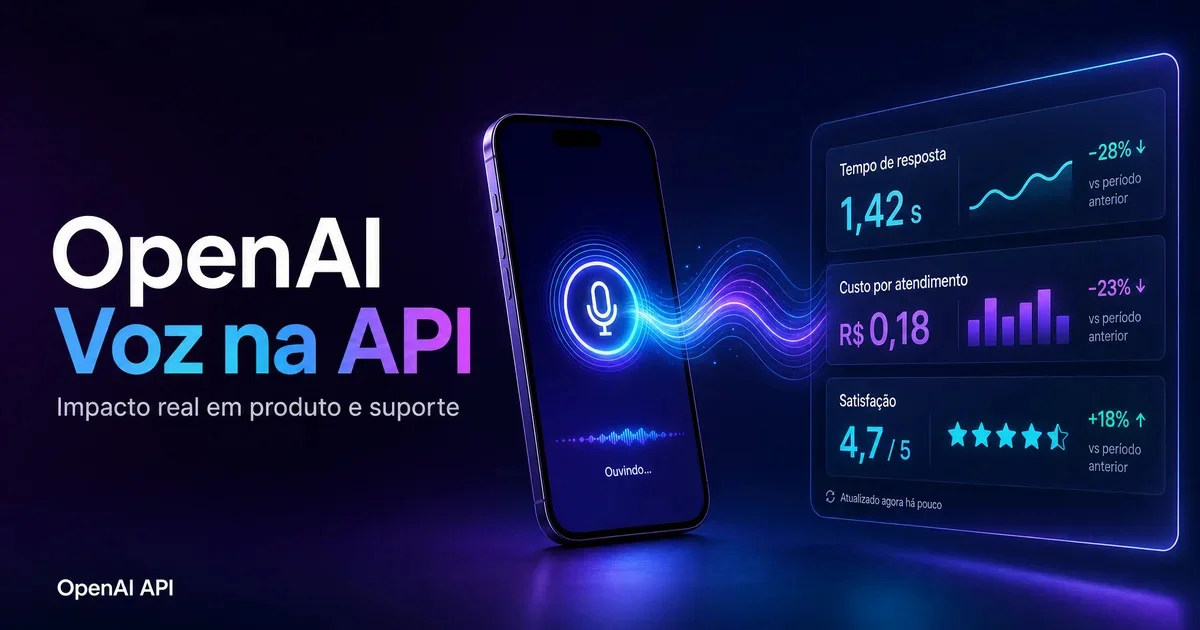
That is why OpenAI’s latest voice updates to the API matter. The company introduced GPT-Realtime-2, GPT-Realtime-Translate, and GPT-Realtime-Whisper, expanding what teams can do with live voice interactions, transcription, and multilingual flows. On paper, that sounds like another step toward more natural interfaces. In practice, the bigger story is simpler: voice can reduce operational friction in support and product experiences when typing gets in the way.
That does not automatically make voice a good idea everywhere. It only becomes valuable when it improves resolution, reduces abandonment, and keeps costs under control.
Where voice starts making sense
The best use cases are usually not the flashy ones.
Voice helps most when the user would struggle to type a clear explanation in the first place. That includes customer service on mobile, early-stage technical support, onboarding flows for users who are still lost inside the product, and multilingual interactions where speaking is faster than composing text. It also fits situations where speed matters more than polish, like a customer trying to describe an error while commuting, walking through a warehouse, or juggling several tasks.
In those moments, the main benefit is not that the interface feels futuristic. It is that the user can explain the problem faster and with less effort. That usually leads to shorter paths to a useful answer.
This is where the new OpenAI voice stack becomes relevant for product teams. GPT-Realtime-2 points to more responsive live voice interactions. GPT-Realtime-Translate makes multilingual conversations more viable in real time. GPT-Realtime-Whisper strengthens the transcription layer that many operational workflows depend on. Together, these releases make voice more practical for customer service, onboarding, and cross-language support scenarios.
The mistake teams keep making
The predictable failure mode is not technical. It is operational.
A team sees a good demo, gets excited, and rolls voice out across the whole customer journey. Suddenly the assistant is answering calls, guiding onboarding, handling account questions, and trying to cover every edge case at once. That is usually when the rework begins.
Voice does not fix a weak service design. If there is no clear rule for when to hand the conversation to a human, no audit trail for what happened, and no cost target tied to successful resolution, the system becomes harder to manage than the chat workflow it was supposed to improve.
This is especially important because pricing in voice systems is not always simple. With OpenAI’s current approach, pricing can combine per-minute charges and token-based billing, depending on the capability being used. That means usage can drift faster than many teams expect, especially when sessions become longer, multilingual, or dependent on repeated clarifications.
So the real question is not, “Can the model talk well enough?” It is, “Can the operation around the model stay disciplined under real usage?”
What to measure before scaling
Before expanding voice beyond a pilot, teams should be watching a short list of operational metrics.
First, look at average handling time. If voice is genuinely reducing friction, the path to resolution should get shorter or at least more efficient.
Second, track the handoff-to-human rate. A healthy voice workflow does not eliminate human support; it routes cases more intelligently. If handoffs are too frequent, the assistant may be collecting audio without creating real value.
Third, measure cost per resolved case. This matters more than raw session cost. A slightly more expensive interaction can still be a win if it resolves the issue faster and reduces follow-up work.
Fourth, capture user satisfaction at the end of the conversation. Operational improvements that look efficient on paper can still feel frustrating to users if the system is unclear, repetitive, or too confident when it should escalate.
A simple rule works well here: if those metrics improve for two consecutive review cycles in the same workflow, then expansion starts to make business sense.
A grounded 14-day rollout
For most companies, the smartest rollout is narrow and boring.
Start with one high-volume flow that has low legal sensitivity. That might be basic onboarding guidance, common support intake, or a repetitive service path where users often struggle to type full context.
Run a pilot with a small user group for 14 days. Compare voice versus chat in the same scenario, not across unrelated journeys. That gives you a cleaner baseline for abandonment, resolution time, and satisfaction.
Then adjust the parts that usually matter more than the model itself: the prompt design, the fallback policy, the action limits, and the threshold for human escalation. Only after that should you consider broader deployment.
This kind of rollout sounds less ambitious than a full launch. It is also how teams avoid turning a promising feature into an expensive support experiment.
Voice is worth using now — if you treat it like operations
The practical answer for most product and support teams is yes: voice is worth serious use now.
But it should be treated as an operations project, not as a marketing feature. The biggest gains tend to come from better flow design, better escalation logic, and better measurement discipline — not from the model alone.
OpenAI’s new voice API capabilities make it easier to build experiences that feel faster and more natural, especially in customer service, onboarding, and multilingual interactions. That is real progress. Still, the teams that benefit most will be the ones that stay conservative about scope, keep humans in the loop, and tie adoption to measurable outcomes.
Voice can absolutely improve the customer experience. It can reduce friction, speed up explanation, and make support feel less like form-filling. But the return only shows up when the surrounding system is built to handle reality: messy inputs, unclear requests, edge cases, budget pressure, and the need for accountability.
That is the difference between a voice feature that demos well and one that actually improves the business.